goaloo Casino Mobile App
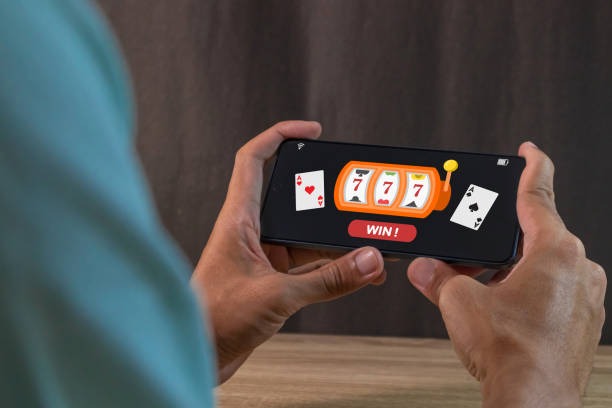
We at goaloo have built a mobile-first platform so you can access live football betting, dealer tables, and slot games from your phone wherever you are. Our services are available only in jurisdictions where local law permits online gaming and sportsbook activity.

- Update
- DownloadAPK
- and
- LoginOTP Verification
Installing goaloo on Android takes a few minutes; iOS users can access our full platform via browser without needing an app store download. Once installed or bookmarked, logging in on your phone gives you instant access to deposit via DANA, e-wallet, mobile banking, local payment, online payment, e-wallet, or direct bank transfers through mobile banking, local payment, online payment, and e-wallet.
Our mobile app is designed to load quickly even on slower network connections, display game markets clearly, and keep your account secure with two-factor authentication and KYC verification. Whether you are in Jakarta, Surabaya, Bandung, or elsewhere in supported regions, the app syncs your account balance and betting history in real time.
How to get goaloo on your phone
Installation steps
- Download the APKVisit our downloads page or scan the QR code to get the latest goaloo APK file on your Android device.
- Allow unknown sourcesGo to Settings, Security, and enable Unknown sources so Android permits installation from outside the play store.
- Open the APK and installTap the downloaded file and follow the on-screen prompts to complete installation.
- Launch and log inOpen goaloo, enter your username or email and password, and verify your account with two-factor authentication.

For iOS users, simply open Safari or your default browser, navigate to goaloo.bet, and bookmark the page. You can add goaloo to your home screen to create a shortcut that launches like an app. No app store approval needed, and you get the full experience of our live dealer tables, Liga 1 fixtures, and slot games.
App versus browser experience
Native app (Android)
- Offline cache and faster load times
- Push notifications for live market alerts
- Direct phone storage integration
- Optimized battery and data usage
Browser (iOS & web)
- No app store or installation process
- Always the latest version automatically
- Works on any device with a web browser
- One account syncs across all devices
Device compatibility
We support Android 7.0 and later on phones and tablets. iOS users on version 12 or newer can access goaloo via Safari or Chrome without restrictions. We also support desktop browsers including Firefox, Edge, and Chrome on Windows, Mac, and Linux. Our interface adapts automatically to your screen size, so betting on Liga 1 matches or joining a live blackjack table feels natural on small phones and large tablets alike.
Common installation issues and solutions
If Android blocks the APK download, check that your browser or file manager has permission to download files; go to your phone's Settings and update permissions if needed. Some devices show a warning about unknown sources during installation—this is normal for APK files outside the play store. To proceed, tap Install anyway. If you receive a certificate or security warning, ensure you are downloading from our official site only; links from unofficial sources may be compromised. For iOS, if goaloo does not load in Safari, clear your browser cache by going to Settings, Safari, Clear History and Website Data, then refresh the page. On weak network connections, give pages up to 10 seconds to load before trying again.
Data, permissions, and account security
When you install goaloo, we request permissions to access your phone's camera (for identity verification photo during KYC), location (to verify your jurisdiction), and contacts (optional, for account recovery). We never sell or share your personal data. All account logins use encrypted HTTPS connections. After you log in, we strongly recommend enabling two-factor authentication in your account settings so that password resets and withdrawal requests require a code sent to your phone. If you notice unfamiliar activity, change your password immediately and contact our support team. Your transaction history, betting records, and withdrawal requests are stored securely and remain private to your account.
Getting the most from goaloo on mobile
Key setup steps
- Complete KYC verification using a valid ID before your first withdrawal
- Enable two-factor authentication in account settings for added security
- Add your preferred payment method (DANA, e-wallet, mobile banking, local payment, online payment, or bank account) for fast deposits
- Test a small deposit and withdrawal to confirm your payment flow works
- Bookmark goaloo on iOS or save the app shortcut to your home screen for quick access
On your first login, you will be asked to verify your identity. We need a copy of your ID (national card, passport, or driver's license) and sometimes a selfie. This usually takes a few minutes to process. Once verified, you can deposit using e-wallet by scanning our payment code with your phone's camera, or choose mobile banking, local payment, online payment, e-wallet, mobile banking for instant e-wallet transfers. Bank transfers through local payment, online payment, e-wallet, or mobile banking use a virtual account number unique to your goaloo profile; send funds to that account and we credit your balance within minutes.
Withdrawals follow the same path: log in, go to Withdraw, select your payment method, enter the amount, and confirm. We review your request to ensure it matches your account and KYC details. Funds are then sent to your bank account or e-wallet. During holidays like Idul Fitri or Idul Adha, processing may take longer due to bank closures, so plan ahead if you need quick access to your money.
If you have questions about a deposit, withdrawal, or account issue, reach out to our support team. We respond in English and Indonesian. Stay logged out on shared phones, and always use a strong, unique password. Our goaloo app and site do not store your password on your phone, only a secure session token that expires when you log out.